
Mordu's Legion Burner Mission Guide
1. Mordu's Legion
Where to find Mordu's Legion missions
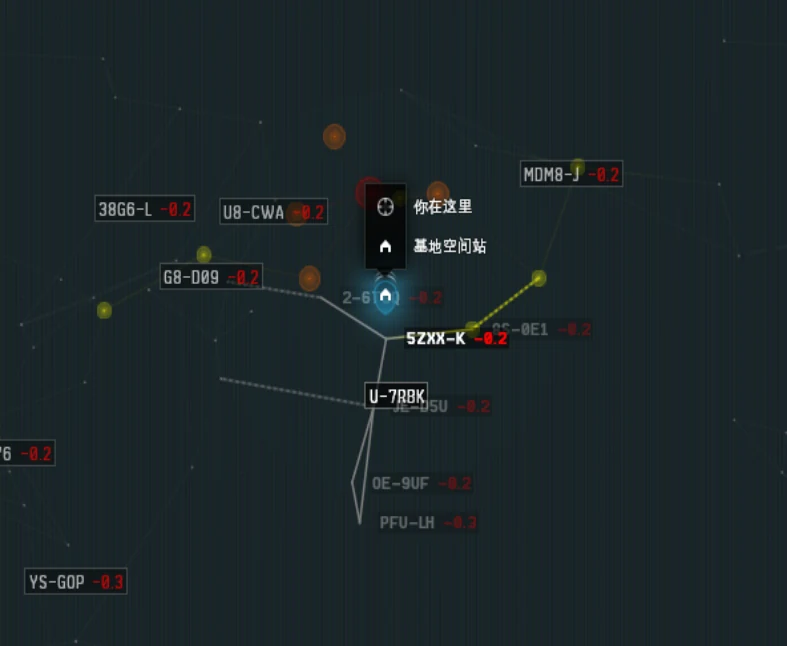
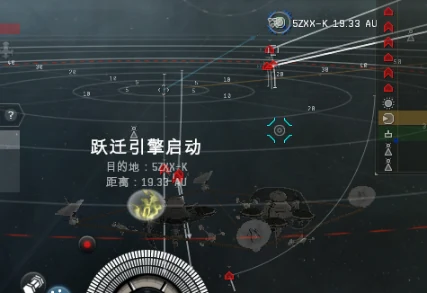
Open the star map with F10 and search for 5ZXX-K. Travel there and dock at a local station to begin running Mordu's Legion missions.
Mission area
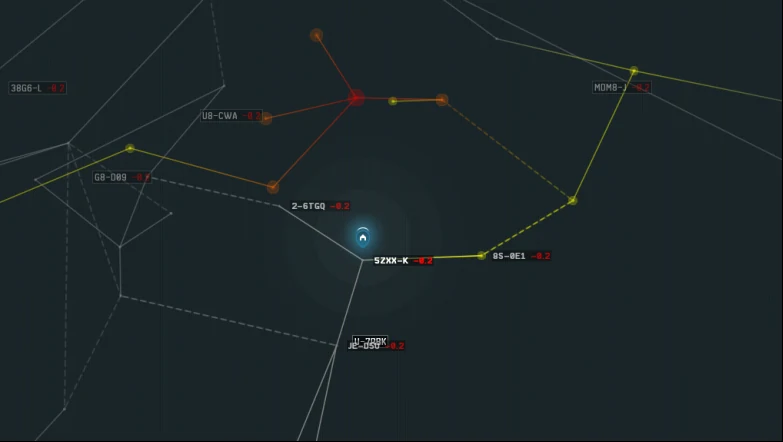
Missions can appear in three directions from 5ZXX-K. Fuxi has structures in these systems, so you can stage mission ships there in advance. The suggested staging plan appears later in this guide. Travel between systems in a shuttle; shuttles warp quickly and are a safer way to move around.
The 5ZXX-K mission area sees heavy PvP activity, including smartbomb gate camps.
2. Burner missions
What is a Burner mission?
Burner missions are a special type of Level 4 mission offered randomly by Level 4 agents.
There are three categories:
- Anomic Team
- Anomic Agent
- Anomic Base
Each category includes missions against different pirate factions. Check the mission icon when an agent offers it. Each faction's NPCs behave differently, so the ship and tactics you need also vary.
Income
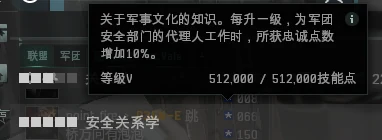
With Connections V, one Burner mission pays about 23,000 LP, 10M ISK in mission rewards, and 5–7M ISK per elite NPC. At the current Mordu's Legion LP value of about 1,300 ISK per LP, total income is roughly 50M ISK per mission.

Mordu's Legion LP is commonly exchanged for an Orthrus. The blueprint costs 240,000 LP and 15M ISK; the finished ship sells for about 340M ISK. Check current buyback prices before relying on this conversion.
Unlocking Mordu's Legion Burner missions
First, you need to understand standings.
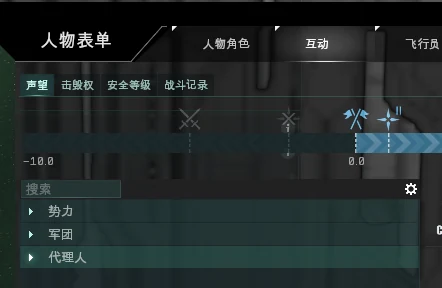
The source guide links to a reference document explaining standings. Its exact figures may not all be accurate, so check the in-game agent requirements.
Press Alt+A to open the Character window. Under Interactions, select Standings to see your standings with NPC factions, corporations, and agents. These three types of standings affect mission access in different ways.
- NPC faction standings: Positive faction standing, sufficient standing for the associated corporation and agent, and standings above −2.0 with the corporation and agent generally let you access Level 2 missions. The faction-standing thresholds are 1.0 for Level 2, 3.0 for Level 3, 5.0 for Level 4, and 7.0 for Level 5 agents, where Level 5 agents exist. Some factions, such as Serpentis and Angel Cartel, do not offer Level 5 missions. Faction standings of 3.0 or 5.0 may also unlock Epic Arcs. Below −2.0 faction standing, you are limited to Level 1 agents unless you raise it above 1.0. Below −5.0, faction NPCs may attack your ship and capsule when you enter their space.
- NPC corporation standings: A corporation belongs to an NPC faction, so the standings are related, but corporation standings affect access to that corporation's agents. If your standing with one corporation is below −2.0, you may be restricted to its Level 1 agents even if your faction standing is high. Agents belonging to other corporations are not affected in the same way. Negative corporation standing restricts mission access but does not make NPCs attack you.
- Agent standings: An agent belongs to an NPC corporation, and agent standings affect access to that agent's missions. For example, if your Serpentis faction and corporation standings are above 5.0 but your standing with the Level 4 agent Tuvan Orth is below −2.0, Tuvan Orth will stop offering missions. You must raise your standing with that agent above −2.0 before he offers missions again. If you can no longer access the agent's missions, you cannot raise that standing by yourself. Ask someone who can run the agent's missions to share the mission rewards with you; shared rewards include standing gains.
Start with Level 1 missions and raise your standings until you can access Level 4 agents. Once you can accept Level 4 missions, you may receive Burner missions.
3. Mordu's Legion Level 4 missions
Ships for fast Level 4 missions
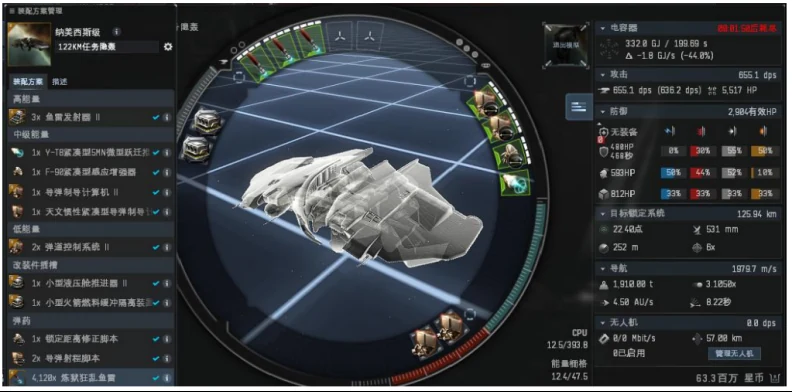
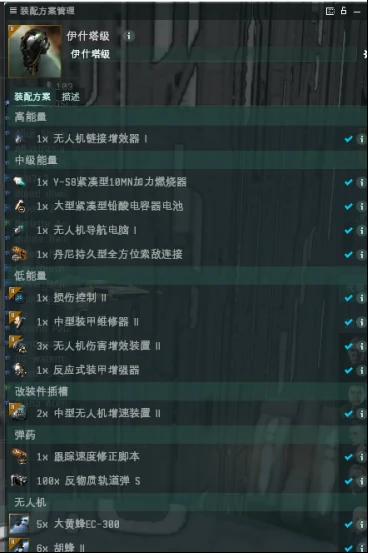
New-player recommendation:

1. Damsel in Distress objective (covert bomber, warp in at 100 km)
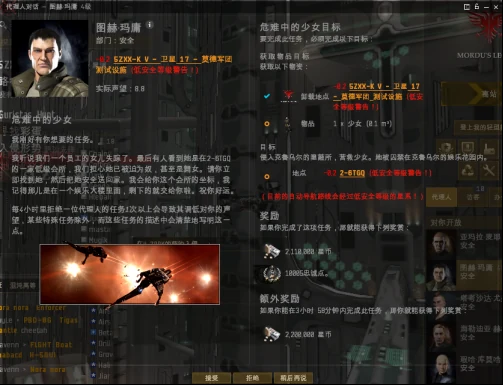
Procedure: Warp to the mission at 100 km. You will see two identical structures. Lock and destroy the structure beneath the circled space icon to complete the objective. Destroying it spawns another wave of NPCs, including Zor. Kill Zor and bookmark the wreck. After turning in the mission, return to loot it; the wreck is worth at least 10M ISK.
2. The Right Hand (covert bomber, warp in at 100 km)
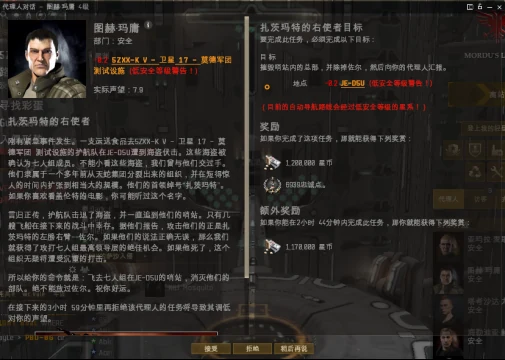
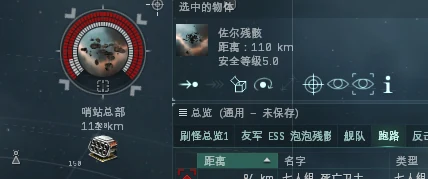
Procedure: Warp in at 100 km and orbit the structure at 110 km. Keep your lock range and missile range in mind. Kill Zor first, then destroy the structure. Bookmark Zor's wreck, move 150 km away, then warp back to loot it. The wreck is worth at least 10M ISK.
3. Relic objective (Ishtar, approach the structure and use drones)
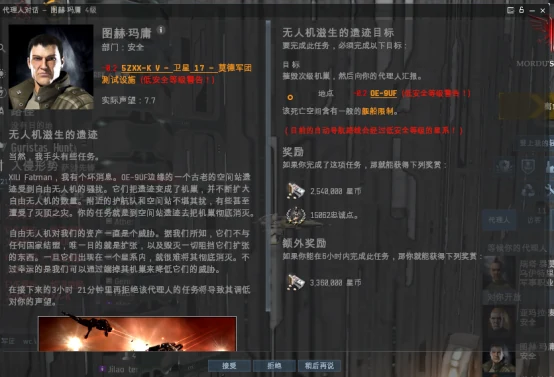
Procedure: After entering the mission pocket, approach the secondary hive with an Ishtar and use drones to destroy it.
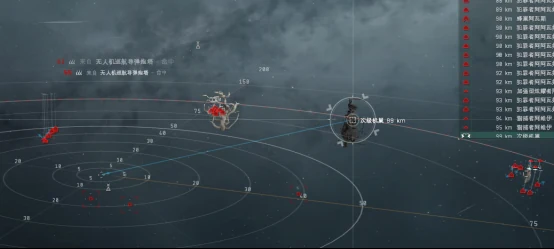
4. Guristas Spy (Ishtar, destroy the marked targets)
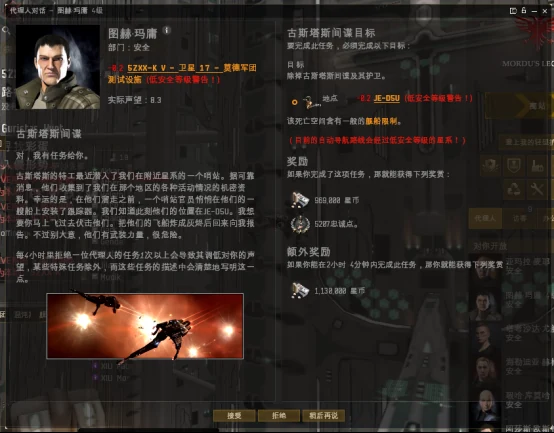
Procedure: After the first NPC wave spawns, use Q to move the Ishtar in the direction shown by the arrow. The target appears in the third wave and is circled in the image. Destroy all marked targets to complete the mission.
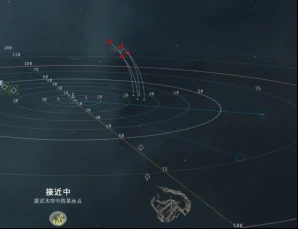
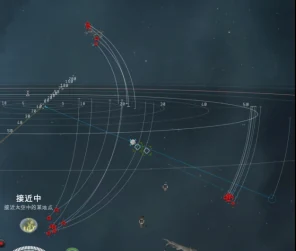
5. Stop the Thief (Ishtar, destroy the marked target)
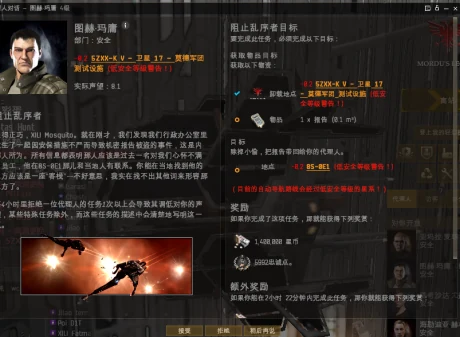
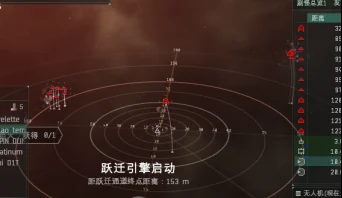
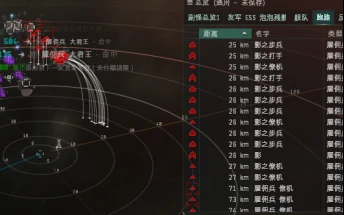
Procedure: Enter the pocket and destroy the nearest battleship. A group of NPCs will spawn; destroy the Shadow to complete the mission.
6. Two Rogues (Ishtar, destroy the marked targets)
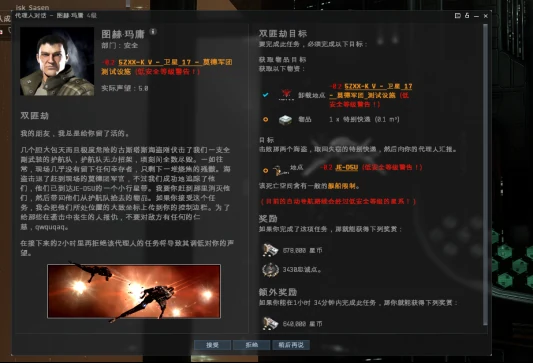
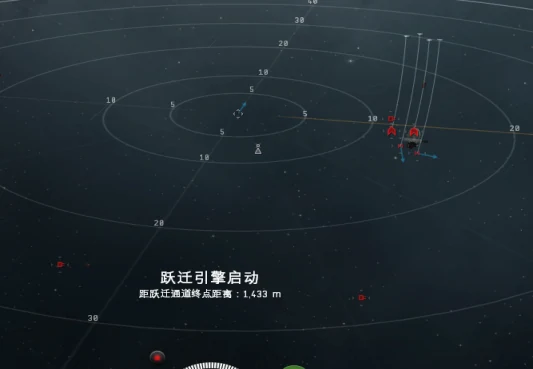
Procedure: Destroy the two battleship NPCs in the mission pocket. Loot the dropped container to collect the special delivery.
It is also recommended to destroy the two drones, which can web you.
Regular Level 4 missions
You can slowly clear most regular Level 4 missions in an Ishtar. Some are difficult; decline those missions instead.
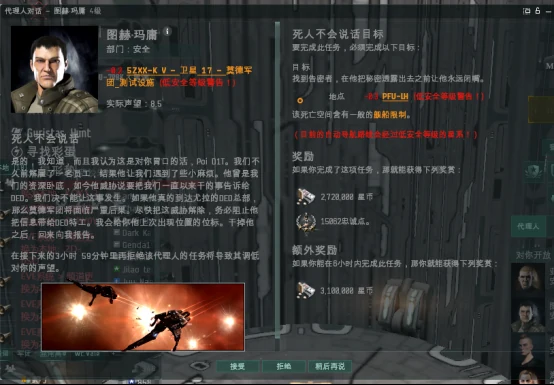
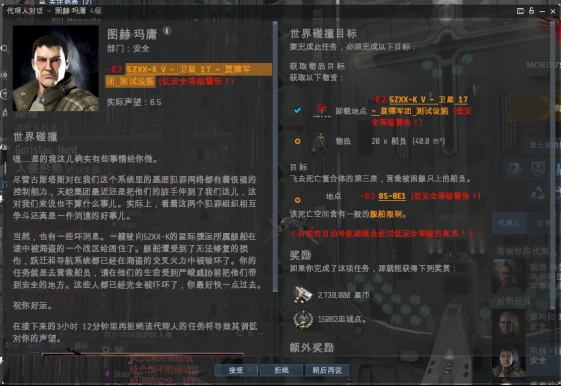
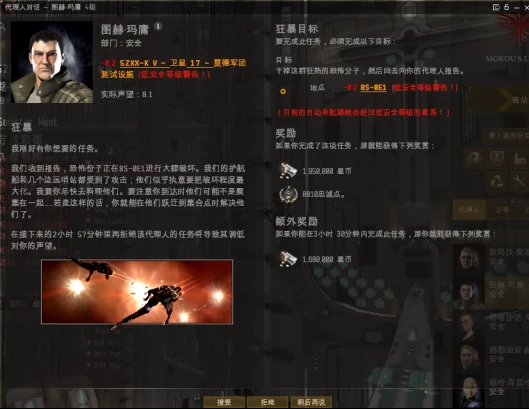
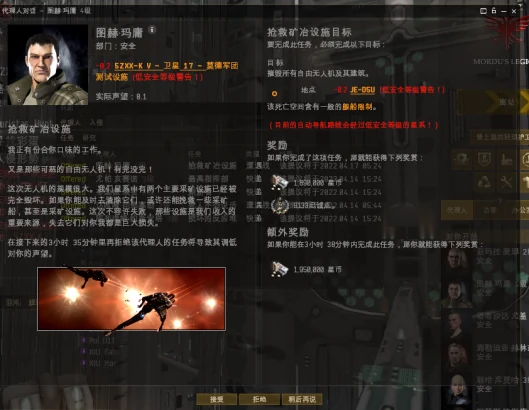
This guide does not list every Level 4 mission. Running through them all can be rewarding.
Additional guide: http://www.eveonline.vip/col.jsp?id=104
Burner missions
Single-character setup: Assault Frigate
The traditional Assault Frigate approach is reliable and inexpensive. It has been used for years, and the fits are well established. Assault Frigates are affordable, and the skills also let you fly them in PvP, so the training is useful beyond missions.
The drawback is the skill investment: you need racial Frigate V for three factions, ideally Assault Frigates V, and Tech II small guns. This can be a substantial training commitment for a new player.
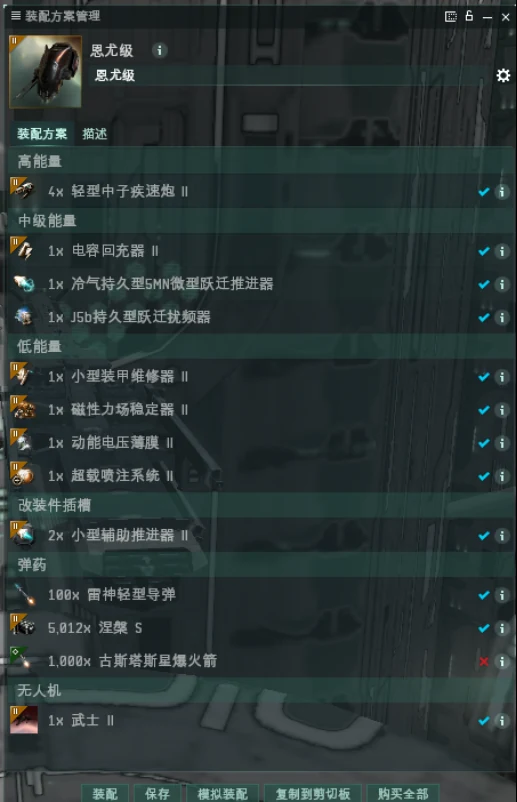
Anomic Team
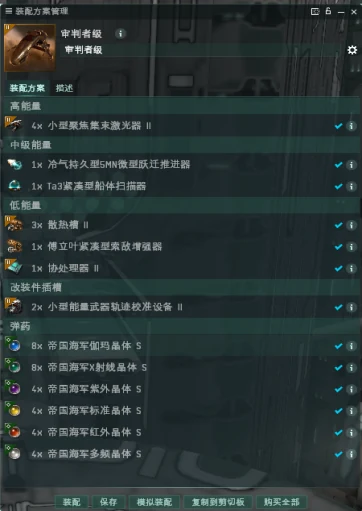
Procedure: Activate orbit. After landing, turn on your propulsion module and stay about 25 km from the primary NPC. Open fire. The fit needs more than 280 DPS against the target.
Recommended Anomic Team fit for new players:
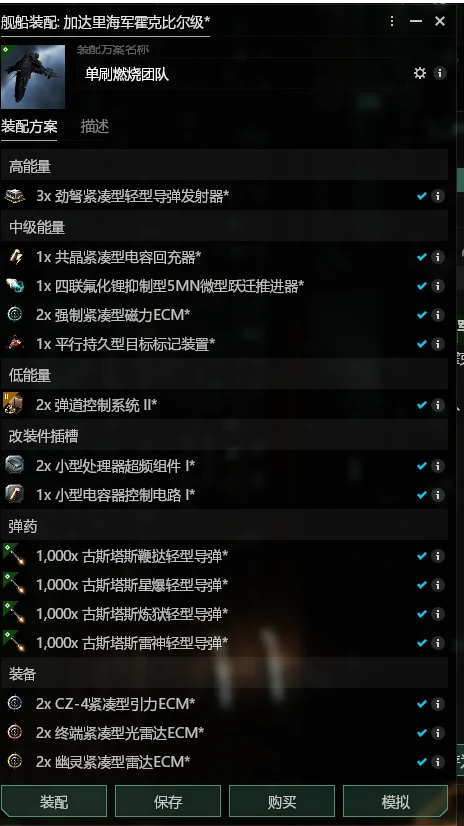
Video guide: https://www.bilibili.com/video/BV1Hm4y1q7BD/
Anomic Agent
Angel Cartel agent — Daredevil
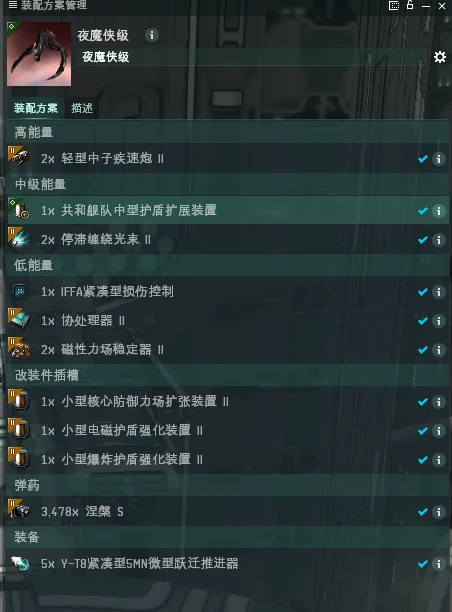
Procedure: Stay at about 1,600 m and overheat your guns while firing.
Guristas agent — Enyo
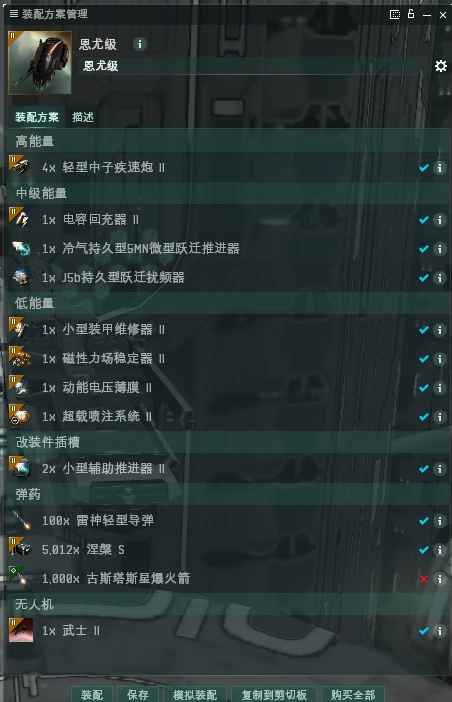
Procedure: Activate orbit and pre-overheat your propulsion module. Approach with propulsion active and apply your warp scrambler. Turn off propulsion and stop overheating, then keep firing. If the propulsion module burns out and you have not scrammed the target, launch drones and align out. Warp off immediately if the NPC switches aggro to you.
Blood Raider agent — Wolf
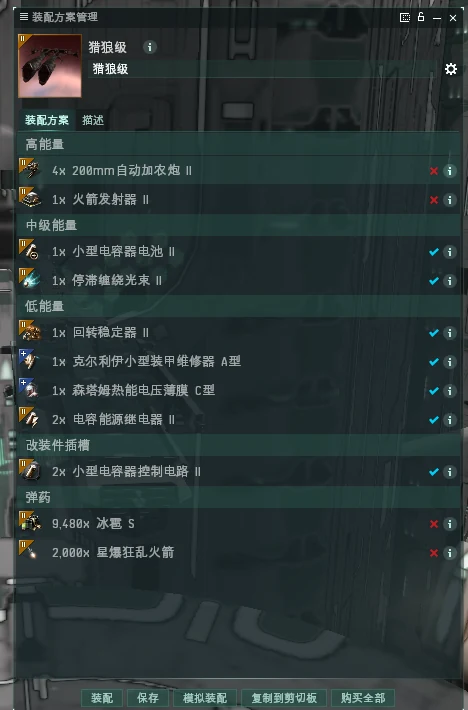
Procedure: Stay still and fire.
Sansha agent — Coercer
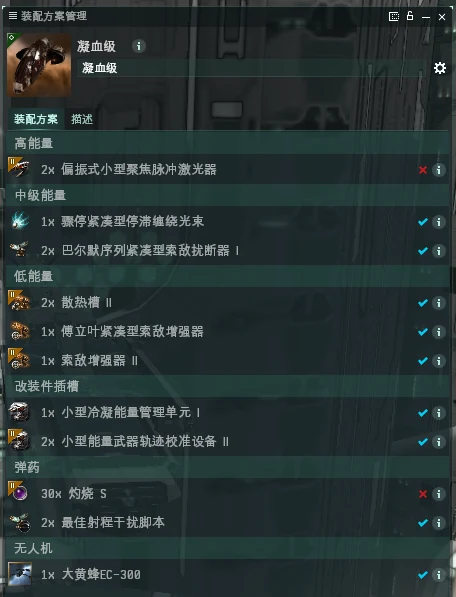
Procedure: Orbit the target and fire.
Three-character setup: Confessors
If you multibox, the guide strongly recommends using three Confessor tactical destroyers.
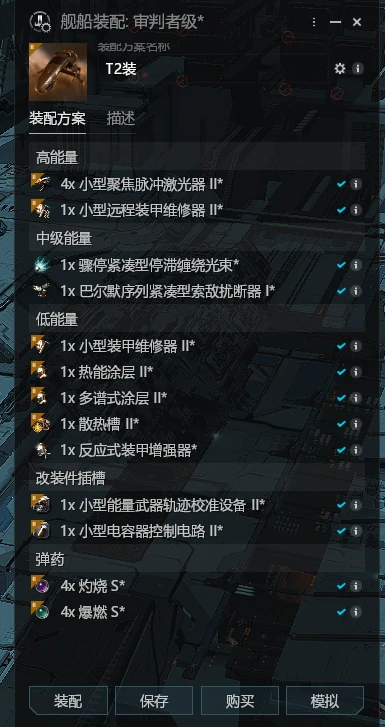
General procedure:
- Add all three characters to each other's watchlists.
- At the acceleration gate, activate your resist modules and repairers.
- On landing, lock the primary NPC. Make sure each character has its watchlisted fleetmates locked so they can apply remote repairs quickly.
- Keep about 10 km from the NPC. Start firing when it is 20 km away, and apply webs at 13 km.
- Use remote repairs on any ship with low health.
- After the fight, open and loot the container.
This approach works for Anomic Team and most Anomic Agent missions, except Guristas. At the Blood Raider acceleration gate, activate only your resist modules; do not panic when you land.
Guristas agent procedure: Activate the acceleration gate. On landing, approach the Burner with your propulsion module active. Turn on overheat for the second cycle (do not overheat the first), apply your scrambler, and destroy the target.
Anomic Base
Serpentis base
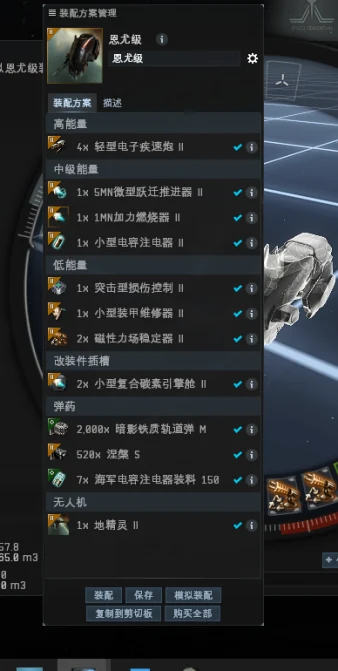
Video guide: https://www.bilibili.com/video/BV1Tz4y1r7NE?p=14
Angel base
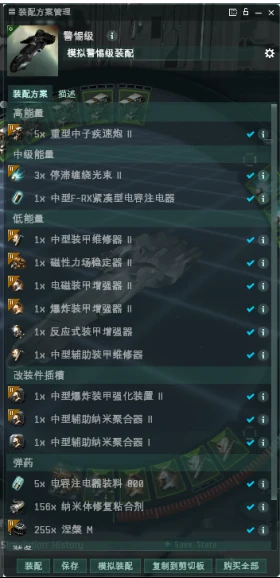
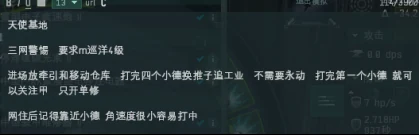
Video guide: https://www.bilibili.com/video/BV1Tz4y1r7NE?p=11
4. Suggested mission ship staging for three characters
Staging ships this way lets you travel between stations and mission locations quickly and safely in a shuttle.
- Station camps: A departing shuttle can warp immediately to the Fortizar across from the station. Make a zero-distance station bookmark before undocking.
- Bomb gate camps: Join the corporation mission channel and add regular campers to your contacts (channel and contact list are described in the Pure Blind Community Guide). If they are online, do not warp directly to the gate.
Good luck becoming a Burner mission specialist. May your income reach 2B ISK a day and beyond.
If anything remains unclear after reading the guide, these videos may help:
- A San's approach
- Three-character approach
Sisters of EVE missions
For Burner mission guidance, see the Mordu's Legion guide above.